 Chart
ChartThe trading journal that floats over your chart
Write down what you see while it happens: thoughts, levels, screenshots and trades, without leaving TradingView. Then review the whole day, your week and your numbers.
Journal the session, not just the trade
The day is in three phases you shape yourself. Everything saves as you type, and anything you don't need today, you skip.
A thought in one keystroke
Ctrl+Alt+N, type, Enter: it's on the day's timeline with the time, and you're back on the chart. Tag it as a thought, an emotion, an action. Screenshots with Ctrl+Alt+P, or TradingView's own camera and Ctrl+V. The journal never steals focus and never shows in your screenshots or recordings.

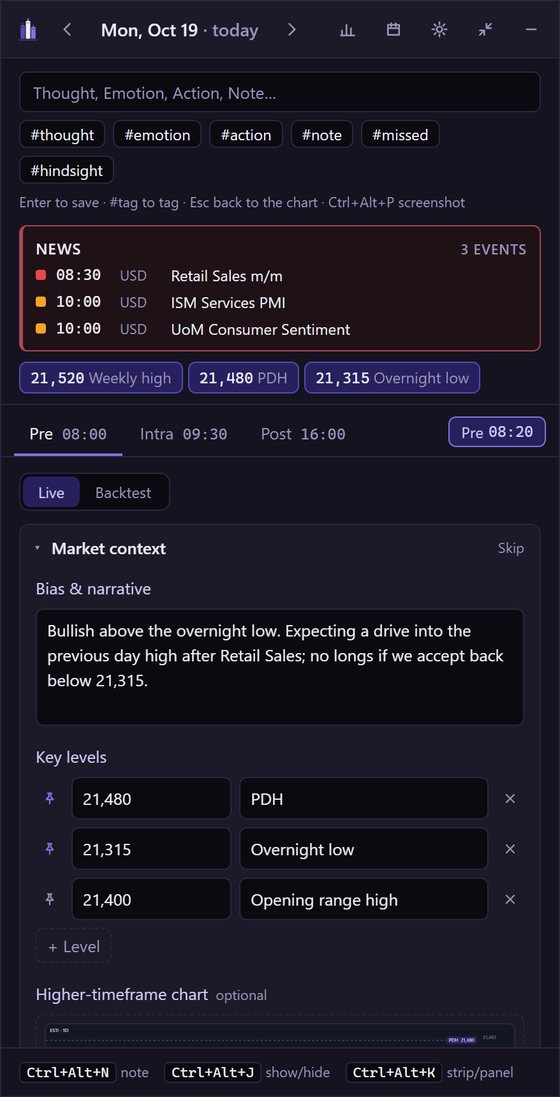
Plan the session
Bias, scenarios and what proves you wrong, key levels. Pin a level and it rides on the strip all session; click it to copy the price.
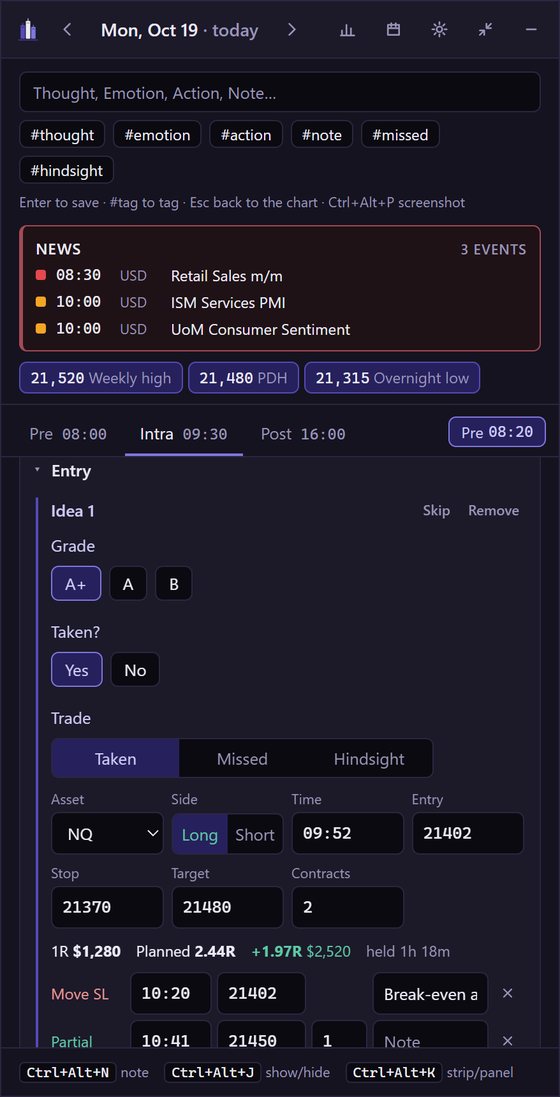
Log the trade as it happens
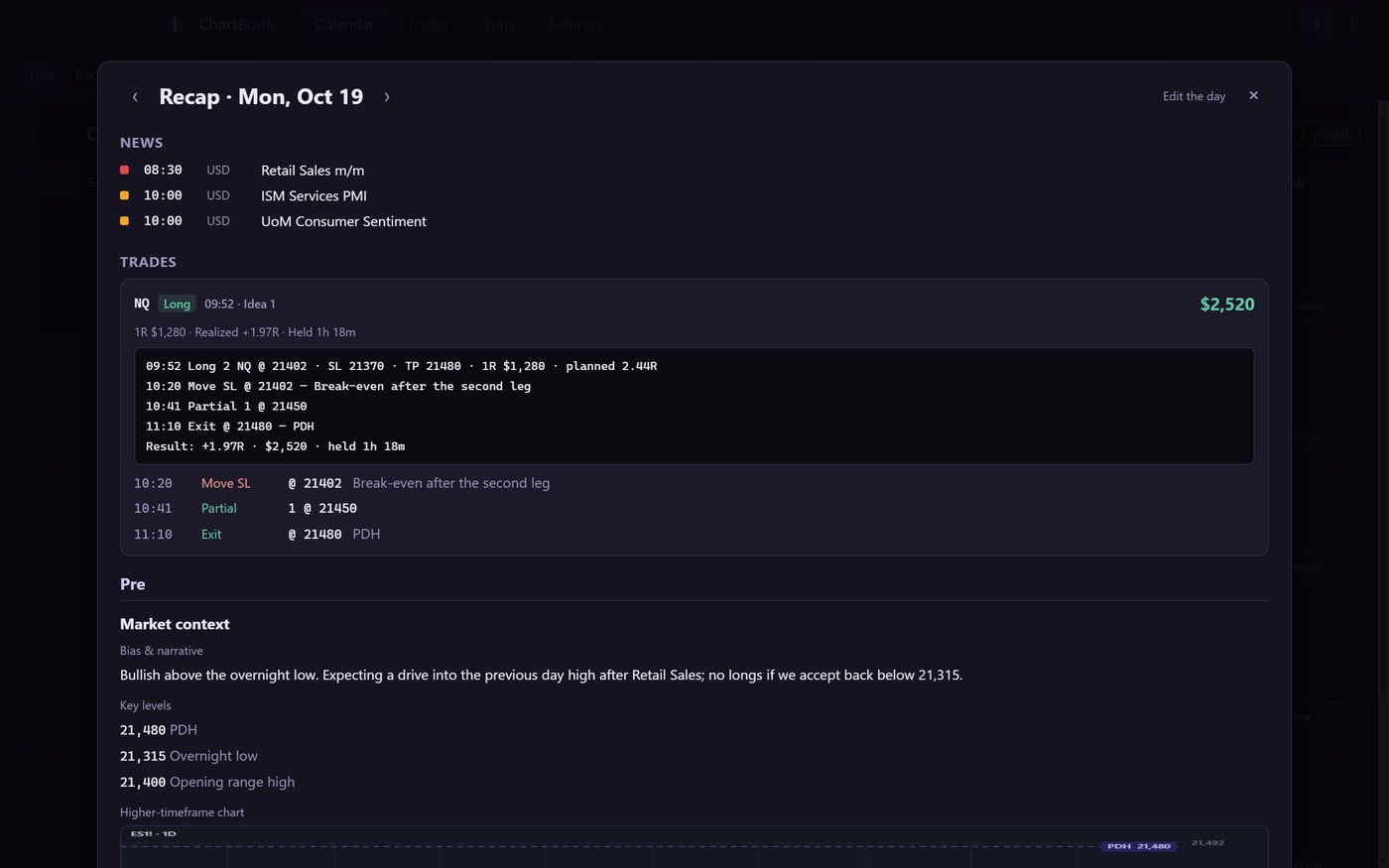
Entry, stop, target, contracts: the result in $ and in R. Partials, stop moves and the exit, each with its time. Missed and hindsight trades are recorded too, kept apart from your P&L.
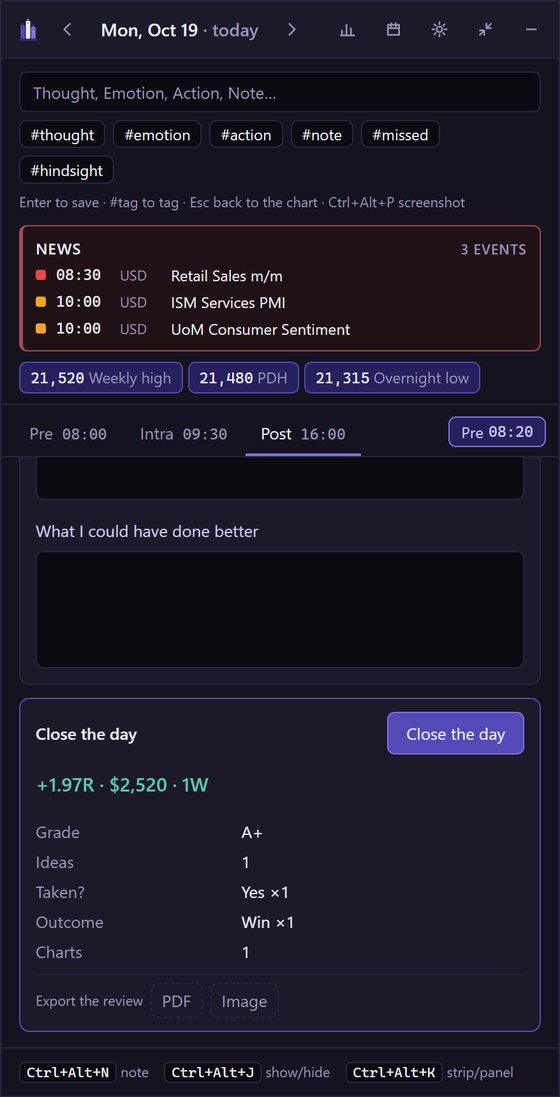
Review it honestly, close the day
Expectations against what you did, a review for each trade, charts of how it played out. Close the day for a one-line summary, and save it as a PDF or an image to share.
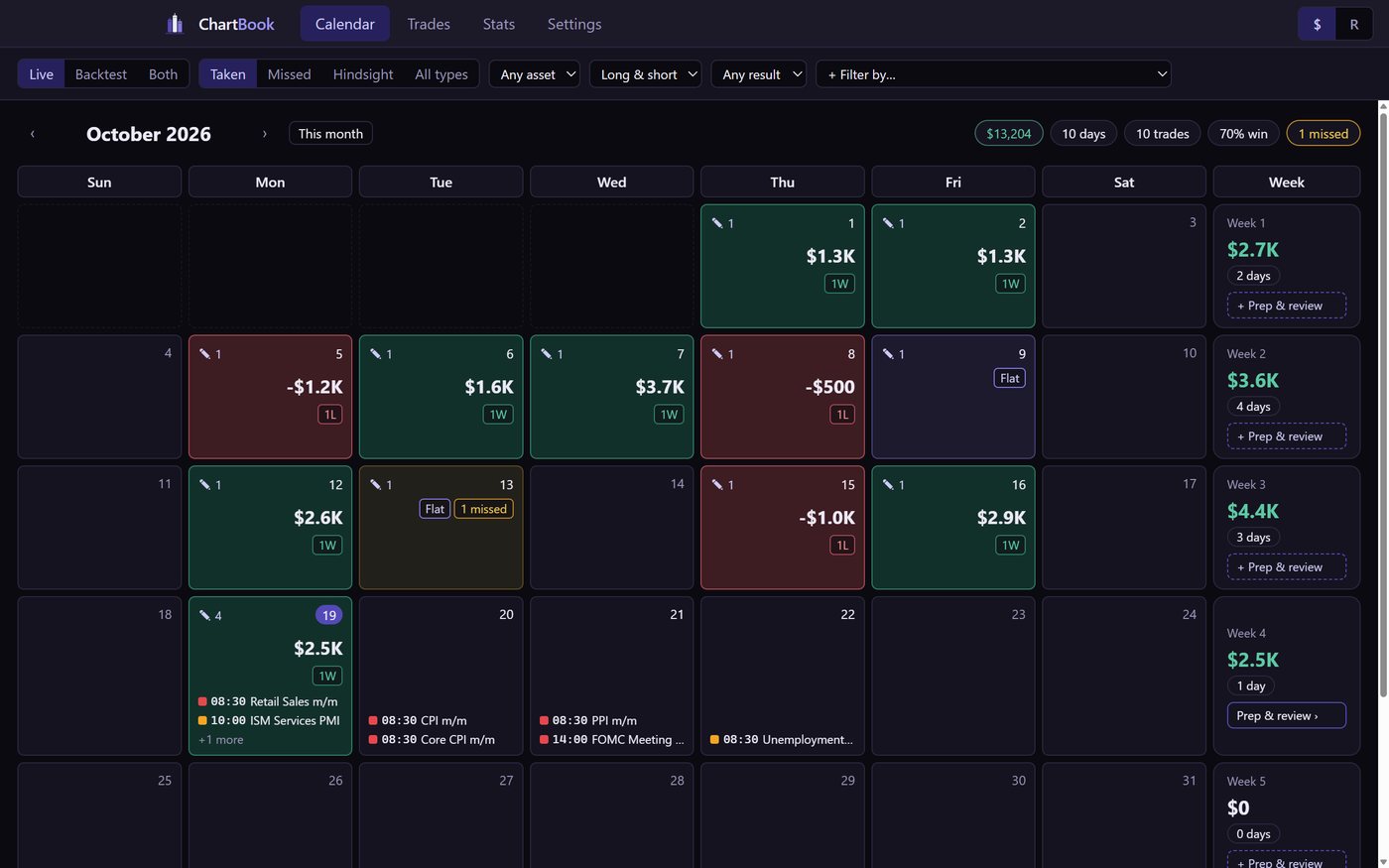
Everything you journaled, to look back at
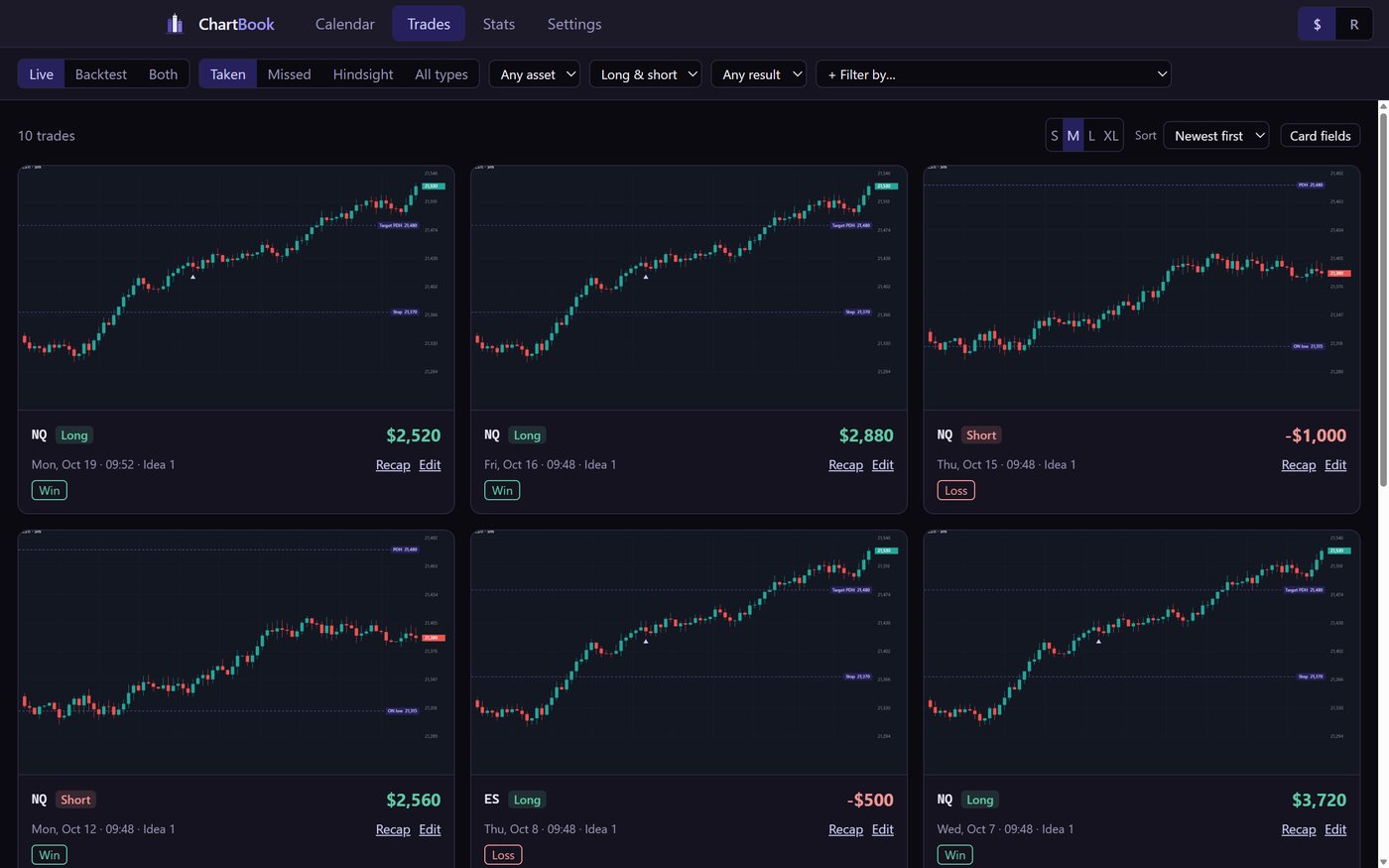
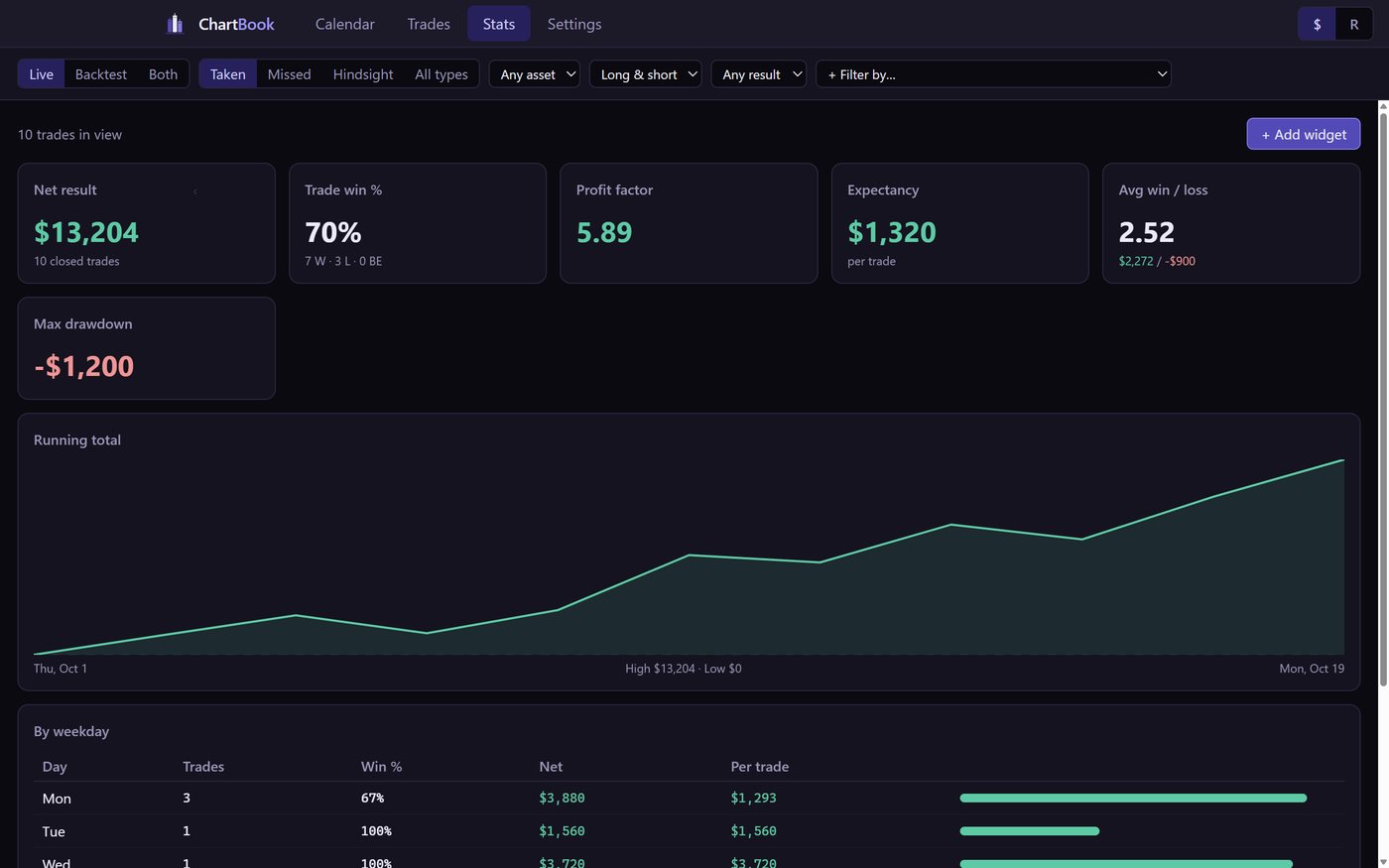
A separate window for reviewing: your month, every trade with its chart, any day read again from start to finish, and your numbers.
The little things that add up
Weekly prep & review
Monday: the week's news and levels. Weekend: your wins and losses pulled in from your days.
News in one click
This week's Forex Factory calendar, on every day, for the currencies you trade. Only when you click.
Backtest journal
A separate journal for replays, timed by the chart, with its own stats.
Your template
Edit every phase, step and question. Make it your process, then share it.
PC and laptop
Sign in on both and they stay in step, with your journal safe in your account.
Yours alone
Your journal is a file on your computer. The cloud copy in your account is private to you, and you can turn it off.
Built for the moment you're trading
Most journals are a tab you open after the trade. ChartBook sits on your chart while you trade.
Join the beta
ChartBook is in a small, free beta for traders who journal their sessions. Leave your email: we let people in a few at a time and email you the download when it's your turn.
Windows 10/11, 64-bit. Already in? Download ChartBook and sign in with the email you were approved with.